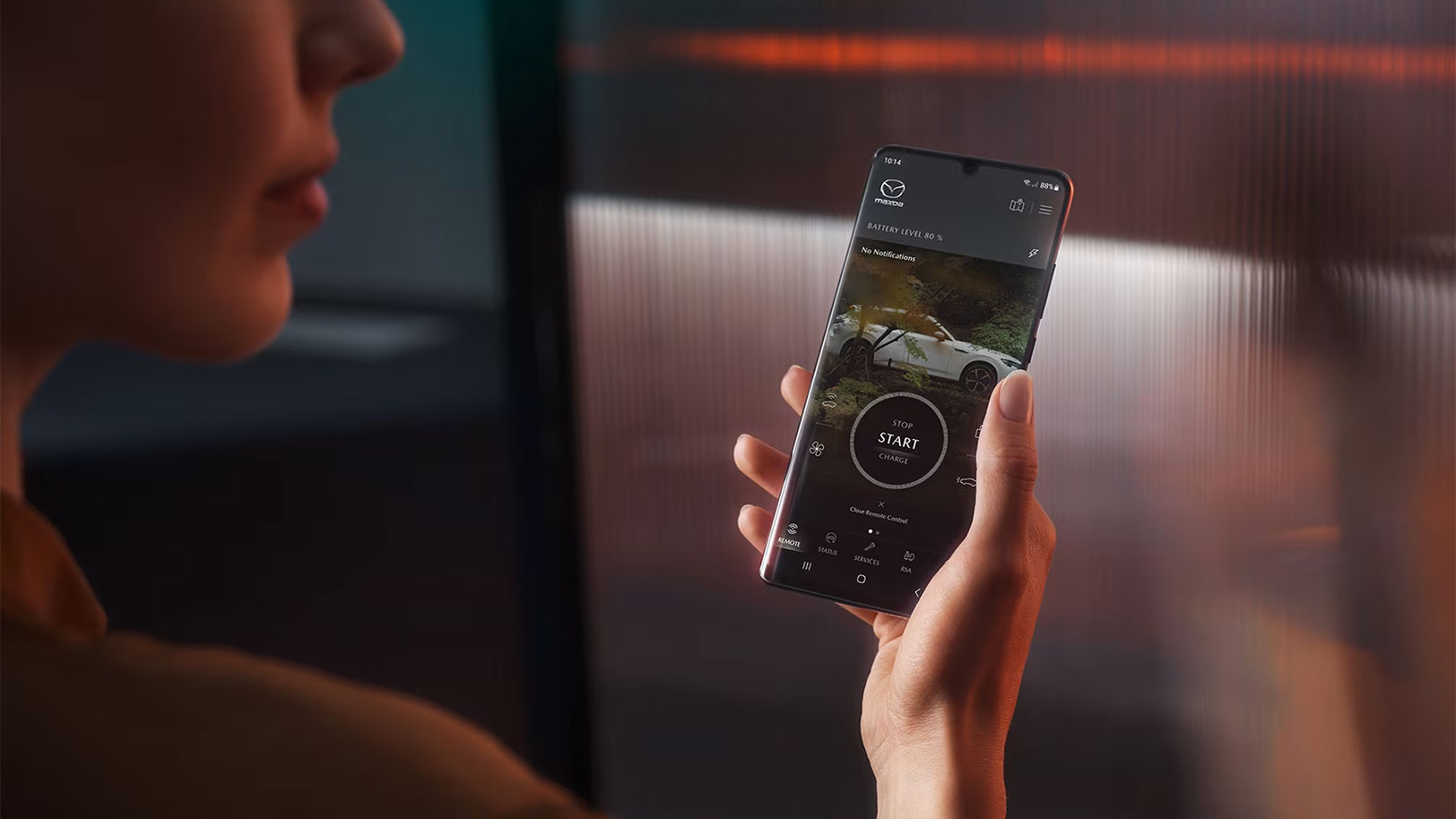
MyMazda App Guide
The MyMazda app brings together everything you need to look after your Mazda vehicle, from checking your service history to locking your car remotely, all from your phone.
Whether you have just collected a new car or have been driving a Mazda for years, the MyMazda app is worth exploring. The tools available to you depend on your model and year, with newer Mazdas and electric vehicles unlocking additional connected vehicle functions on top of the standard features available to all Mazda owners.
In this guide, we’ll cover how to get started, the standard features available across all models, and the connected vehicle and connected electric vehicle features available on compatible models.
Getting Started With the MyMazda App
First, you need to download the app; it is free to download from the Apple App Store and Google Play Store.
Next, create a MyMazda account by opening the app and selecting ‘Create account’. You will be asked for your name, email address, and a password. Mazda will send a verification email to the email address you provide. Click the link in the email to activate your account.
With your account ready, add your car by entering its VIN (Vehicle Identification Number). Once confirmed, your vehicle will appear in the app, and you will have access to the features relevant to your model. The VIN can usually be found on the car’s dashboard on the driver’s side; it is also in your insurance paperwork.
Use the menu at the bottom and top right of your screen to navigate through the features of the MyMazda app.
Standard Features on the MyMazda App
The following features are available to all MyMazda app users, regardless of model.
Service History
View your vehicle’s complete service record carried out at Mazda dealerships, including dates and details of the work completed. This is useful for checking your service is up to date or if you’re preparing to sell your car.
The MyMazda app is linked to Mazda’s Digital Service Records, a system that records all service events for Mazda cars on a central database.
Maintenance Schedule
Rather than trying to keep track yourself, the app shows you what work is due on your car and when. Plan ahead and book in at the right time, without having to dig out old paperwork.
Owner’s Manuals
Access your vehicle’s owner’s manual directly through the app. A practical alternative to the paper version, and far easier to search when you want to understand a warning light or look up how a specific feature works.
Dealer Locator
Find a car dealership near you, with contact details and directions. Useful whether you want to quickly book a car service or explore new Mazda cars.
Roadside Assistance
If you need help on the road, the MyMazda app gives you direct access to Mazda’s roadside assistance service.
Recall and Service Reminders
The MyMazda app notifies you of any upcoming service reminders and outstanding recalls on your vehicle.
Connected Vehicle Features on the MyMazda App
For newer Mazda models, the app includes remote vehicle functions that let you interact with your car directly from your phone. These features are available on the Mazda 3 (2022 models and onwards), CX-30 (2022 models and onwards), CX-5 (2021 models and onwards), MX-30, CX-60, and CX-80.
When you register one of these vehicles, you will be given the option to enrol in connected services, which is optional. Connected services come with a seven-year complimentary period from the date of vehicle registration.
Remote Door Locking
Lock or unlock your car remotely if you are unsure whether you locked it, or if you need to let someone in while you are away. This feature is easy to use and reassuring to have available.
Vehicle Locator
See your car’s location on a map, which is helpful in large car parks or unfamiliar areas.
Send Destination to Navigation
Plan a route on your phone and send it directly to your car’s navigation system before you get in. Your route is ready to go and will display as soon as you start the engine.
Security Alerts
Receive a notification if your vehicle’s alarm is triggered, wherever your car is parked.
Vehicle Status Alerts
Get an alert if your vehicle is left unlocked, so you can act quickly using the remote locking feature, saving you an unnecessary trip back to the car.
Live Vehicle Health Report
Check your vehicle’s real-time tyre pressure and oil status from your phone.
OTA Software Updates
Receive over-the-air software updates for your car’s infotainment system remotely, without a dealership visit. You will be notified when an update is available and can choose when to install it.
Sharing Access With Other Drivers
Share access to your vehicle’s connected features with other MyMazda app users, such as a partner or family member, without having to share your login details.
Connected Electric Vehicle Features on the MyMazda App
If you drive an electric or plug-in hybrid Mazda, you get all of the connected vehicle features above, plus additional remote features. These are available on the MX-30, CX-60 PHEV, CX-80 PHEV, and Mazda 6e. The same seven-year complimentary period applies for the connected electric vehicle features.
NOTE: The Mazda 6e and Mazda CX-6e have their own dedicated app called “MAZDA 6e & CX-6e” that has: real-time vehicle status, remote lock/unlock controls, remote climate control, vehicle charing management where you can set charging limits and charging schedules, and a Bluetooth Key that can unlock/lock doors, start the vehicle, open the windows and boot, activate hazard lights/horn.
Remote Charging Control
Start or stop your vehicle’s charging remotely. If you are on a time-of-use energy tariff, this is a practical way to schedule charging for when electricity is cheaper.
Remote Climate Control
Pre-heat or cool your vehicle’s cabin before you get in, using the car’s climate system while it is still plugged in. This is particularly useful on a cold winter morning or a hot summer day.
Remote Defrost
Activate front and rear defrost remotely before you head out. Depending on your vehicle’s equipment, this includes the rear screen heater, heated door mirrors, and wiper de-icer.
Charging Station Locator
Find compatible charging points near your current location or along a planned route. This removes the need for a separate app and makes planning longer journeys more straightforward.
Real-Time Battery Level and Range
Check your vehicle’s current battery level and estimated remaining range at any time, without going out to the car, so you can plan your day or decide whether to top up before a journey.
Vehicle Status Alerts+
As well as the standard unlocked alert, EV and PHEV models receive additional notifications if the boot or doors are left open, or if the hazard lights have been left on.
MyMazda App Features by Model
The table below shows which features are available for each model group.
| Feature | All models | Mazda 3 (2022-), CX-30 (2022-), CX-5 (2021-), MX-30, CX-60, CX-80 | MX-30, CX-60 PHEV, CX-80 PHEV |
|---|---|---|---|
| View service history | Yes | Yes | Yes |
| Maintenance schedule | Yes | Yes | Yes |
| Owner’s manuals | Yes | Yes | Yes |
| Dealer locator | Yes | Yes | Yes |
| Roadside assistance | Yes | Yes | Yes |
| Recall & service reminders | Yes | Yes | Yes |
| Remote door locking/unlocking | – | Yes | Yes |
| Vehicle locator | – | Yes | Yes |
| Send destination to navigation | – | Yes | Yes |
| Security alerts | – | Yes | Yes |
| Vehicle status alerts (unlocked) | – | Yes | Yes |
| Live vehicle health report | – | Yes | Yes |
| OTA software updates | – | Yes | Yes |
| Share access with other drivers | – | Yes | Yes |
| Remote charging control | – | – | Yes |
| Remote climate control (pre-heat/cool) | – | – | Yes |
| Remote front & rear defrost | – | – | Yes |
| Charging station locator | – | – | Yes |
| Real-time battery level & range | – | – | Yes |
| Vehicle status alerts+ (boot/doors/hazards) | – | – | Yes |
Making the Most of Your Mazda with the MyMazda App
The MyMazda app is a practical tool that makes day-to-day ownership simpler, whether you are keeping on top of servicing, checking your car remotely, or preparing for a longer journey in an EV.
If you have any questions about the MyMazda app or what features your model supports, get in touch one of our Mazda Dealerships.
Frequently asked questions
Can I add multiple vehicles to the MyMazda app?
Yes, you can add multiple Mazda vehicles to a single MyMazda account. Each vehicle appears separately in the app, and you can switch between them to access all of the relevant features for each.
Can the MyMazda app locate my car?
For the Mazda 3 (2022 onwards), CX-30 (2022 onwards), CX-5 (2021 onwards), MX-30, CX-60, CX-80, CX-60 PHEV, and CX-80 PHEV, the app includes a vehicle locator tool showing your car's last recorded position on a map.
What should I do if the MyMazda app is not updating my vehicle's status or showing connection errors?
Check your internet connection and make sure you are running the latest version of the app, then fully close and reopen it. If the problem persists, try signing out and back in, or restarting your phone. If this does not resolve the issue, contact your local Mazda dealer for support.
Similar Articles
Car Service Plans: Everything You Need to Know
In this guide we’ll cover what a car service plan is and how it works, what the benefits of using a car service plan are, before looking at the car service plans we offer at T W White & Sons.
Automotive Glossary: Complete List of Car Terms Explained
Confused by car terminology? Explore our A-Z automotive glossary for clear explanations of the most common UK motoring terms. We’ve created this glossary to help you understand the terms you’ll come across when browsing car listings, comparing finance options, or learning more about your vehicle’s features. Read on for your guide to the words and […]
Car Finance Explained – How Does Car Finance Work?
Investing in a new car is a big decision, so you want to ensure that you pick the purchase or finance option that’s right for you. You can buy a vehicle outright, but most people tend to opt for one of the finance options available. Car finance allows you to spread the cost of the […]