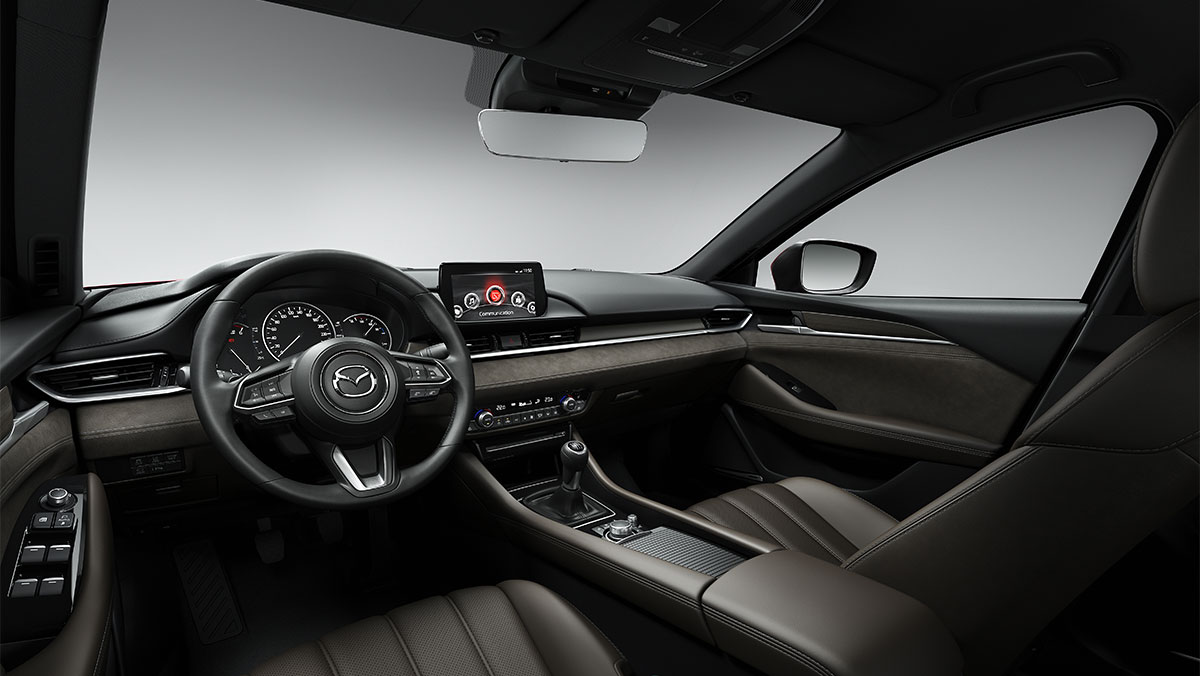
Common Mazda Infotainment System Problems and How To Fix Them

Common Mazda Infotainment System Problems and How To Fix Them

You can use Mazda’s infotainment system for navigation, to stream music, to access your favourite apps and for hands-free communication while you drive. As with any device, problems can arise, and it can be incredibly frustrating when you don’t know what’s causing them or how to fix them. 

Is your Mazda infotainment system not working properly? This guide covers the most common issues reported by real Mazda owners, their causes and how to fix them.

If you think that your Mazda infotainment system has a serious issue, get in contact with one of our Mazda service centres who can advise on what to do, and provide a no-obligation quote on any work that may be required.

My Mazda Infotainment Screen Is Blank or Unresponsive

A blank or unresponsive screen can be caused by a fault with hardware or a software error. In some cases, quick fixes are possible, whereas sometimes your infotainment system may need to be looked at by a qualified technician.

Hardware Issues

Hardware faults can include a damaged backlight, a failing display panel, a power source failure, overheating, or a wiring fault. Although uncommon, it could be that the Connectivity Master Unit (the control module for the infotainment system) has failed. In this case a replacement may be required. Unlike software problems, hardware faults cannot be resolved through resets or updates.

For hardware faults, the Mazda infotainment system will need to be inspected by a qualified technician. Depending on the nature of the fault, the repair may be covered under your Mazda warranty.  

Software Issues

Software errors include system bugs, glitches introduced following an update, or the system being overloaded by too many connected devices at once.

For software-related screen problems, the recommended first step is a media update. This updates the operating system of the infotainment system itself and is something that our car service team can carry out. You can check if a media update is available by going into the infotainment system’s settings and checking the system settings and software update section. If a media update is not available, or if it does not resolve the issue, a hard reset (restoring the system to its factory settings) may be the next option.

Over-the-air (OTA) updates provide the wireless delivery of software updates. This means that you don’t have to visit a Mazda dealership to get your infotainment system updated. You can check in your infotainment system settings if this is possible, but, if the screen isn’t working, you can check on the MyMazda app.

Bluetooth Connectivity Issues with My Mazda Infotainment System

Bluetooth problems aren’t always caused by the Mazda infotainment system itself. It is important to check your phone’s settings to ensure that Bluetooth can successfully connect.

Check Your Phone and Mazda Infotainment Settings First

Make sure your phone’s Bluetooth is switched on and the device is set to discoverable. On an iPhone, your phone will automatically be discoverable if Bluetooth is switched on. On an Android phone, you may have to stay on the Bluetooth screen to enable discoverability. Check that the Mazda infotainment system is set to allow new device connections. If the device still won’t pair, delete the existing Bluetooth pairing from your phone and try again.

Outdated Software

Outdated infotainment system software can create compatibility problems with newer phones or cause the system to freeze or drop Bluetooth connections unexpectedly. Check whether a software update is available through the Mazda infotainment settings menu. If one is available, having it installed at a dealer is the recommended approach, unless an OTA update is available.

Interference from Other Devices

Other Bluetooth-enabled devices can interfere with your phone’s connection to the Mazda infotainment system. Switch off Bluetooth on other nearby devices that are not being used, and attempt to reconnect.

Compatibility Issues

In some cases, a phone may not be fully compatible with the vehicle’s infotainment system, and will therefore be unable to connect. Check your Mazda owner’s manual or contact one of our Mazda dealerships to check your device’s compatibility.

Battery Saving Mode

Battery saving and low power modes can disable or restrict Bluetooth on your phone without it being immediately obvious. Turn off any active power saving mode and try to reconnect to the Mazda infotainment system.

Mazda Infotainment System Soft Reset

If you have worked through all of the above fixes and the problem persists, a soft reset to the Mazda infotainment system may help. With the engine running, hold the back, navigation, and volume buttons simultaneously for 15 to 20 seconds. This restarts the CMU and can sometimes resolve persistent connectivity issues.

If you connect your phone via a cable for Apple CarPlay or Android Auto, check that the cable is in good condition. A worn or damaged cable can lead to connection failures.

It is also worth making sure your phone’s operating system is up to date as connectivity problems are sometimes caused by outdated phone OS rather than an issue with the Mazda infotainment system itself.

My Mazda Infotainment System Keeps Randomly Resetting or Rebooting

If your Mazda infotainment system is repeatedly restarting for no obvious reason, it may be a corrupted or faulty SD card. A common sign of this is the Mazda badge appearing at startup, the system briefly appearing to function normally, and then resetting again.

At our car service centres we can attempt to update the faulty SD card. If this doesn’t work, we can replace it with a licensed Mazda SD card.

You must not attempt to replace the SD card with one purchased from eBay or other third-party sources as Mazda SD cards are licensed and unlocked specifically to an individual vehicle. While third-party SD cards may appear to work initially, they often stop functioning properly after a short period of time. Unlike some other manufacturers where any compatible SD card can be used, Mazda’s system requires a card sourced through an authorised dealer.

My Mazda Infotainment Screen Has a Delayed Input Response

If the touch screen or control knobs respond slowly or inconsistently there are some common causes to consider.

Software Lag

The most common cause of delayed input response is software lag. A soft reset can often resolve this. In park, with the engine running, hold the back, navigation, and volume buttons for 15 to 20 seconds and allow the system to restart.

Poor Screen Calibration

If the screen remains unresponsive while the car is parked and a soft reset has not helped, the system may require a more thorough inspection to have the screen recalibrated or the software updated.

Speed-Related Safety Restrictions

Mazda’s infotainment system is designed to limit touch functionality above certain speeds so as not to distract the driver. Park the vehicle and check whether the screen responds normally to confirm if there is a problem.

It’s also important to check that the screen is clean, as debris, smudges, or moisture can interfere with the touch screen.

Need a Mazda Specialist to Take a Look?

If your issue has not been resolved by the steps in this guide, or if you suspect a hardware fault, the next step is to have your car looked at by one of our manufacturer-trained technicians. Find your nearest Mazda dealership to enquire about an issue with your Mazda infotainment system.

Similar Articles

How To

The Mazda MX-30 charging guide: everything you need to know about charging the Mazda MX-30

The Mazda MX-30 is an all-electric vehicle (EV) which operates on a 35.5 kWh battery that is fast, flexible and straightforward to charge at home or on the go, an exciting evolution of the traditional internal combustion engine, which is an affordable and sustainable way of driving. With conventional vehicles typically using petrol or diesel […]

Driving TipsGuidesHow To

Parking Guide [Infographic]

Parking Guide Infographic – An infographic by T W White & Sons NOTE: This article has been updated to include a description of the bay parking instructions.  It was originally posted on 10th April 2013. Ever found yourself going backward and forwards as you hold up a whole queue of drivers while you try and […]

GuidesHow To

Check and top up your engine coolant – Step by step guide

With the hot weather hitting the UK  you might not think the increased temperatures will have too much of an effect on your car. However, it is essential to regularly check and top up your engine coolant level when needed. Don’t dismiss the warm weather’s impact on your vehicle, as letting your engine coolant level drop […]